Fixing the No Signal Issue with Samsung TV Antenna Cable: A Step-by-Step Guide
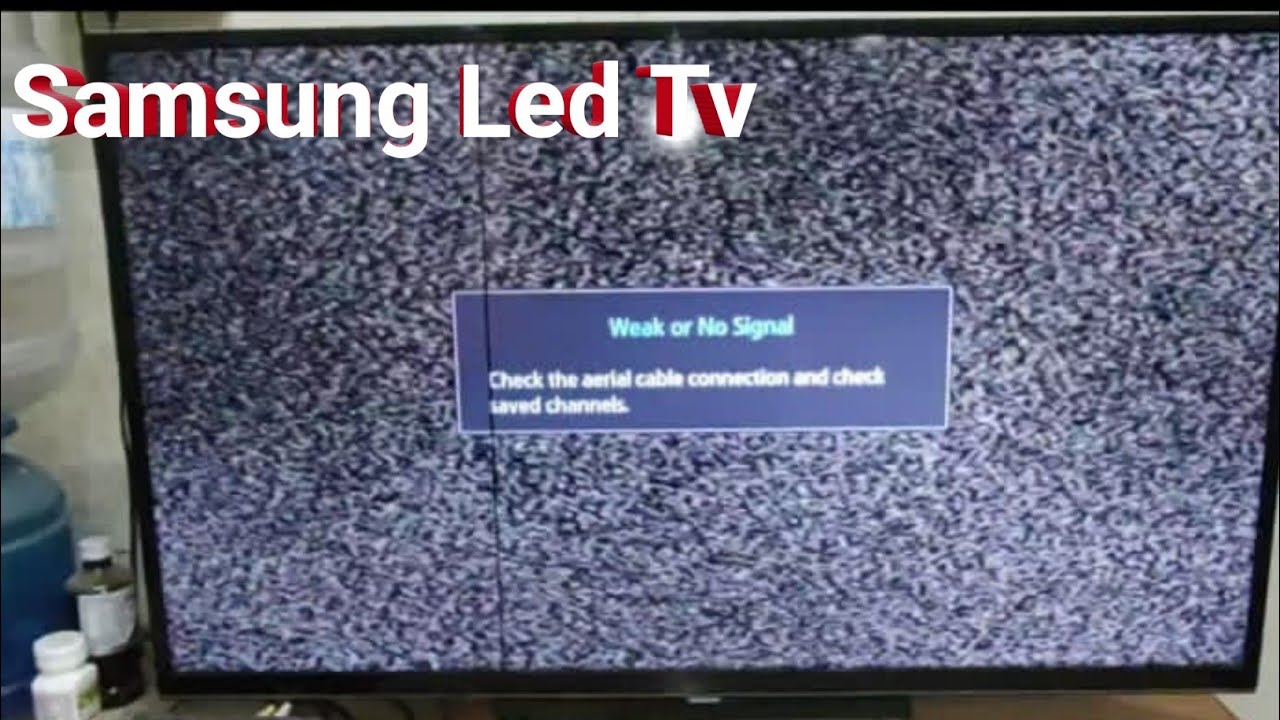
If you're experiencing no signal issues with your Samsung TV's antenna cable, don't worry – it's a common problem that can be easily resolved with a few simple troubleshooting steps. In this article, we'll walk you through the process of identifying and fixing the issue, so you can get back to enjoying your favorite TV shows and channels without any interruptions.
Causes of No Signal Issue with Samsung TV Antenna Cable
Before we dive into the troubleshooting steps, it's essential to understand the possible causes of the no signal issue. Some common reasons include:
*
Loose Connections
One of the most common causes of a no signal issue is a loose connection between the antenna cable and the TV or the antenna itself. This can be frustrating, but fortunately, it's an easy fix.
*
Antenna Placement
The placement of your antenna can significantly affect the quality of the signal. If the antenna is not installed correctly or is placed in a location that blocks the signal, it can result in a poor or no signal.
*
Interference from Other Devices
Other electronic devices in your home can sometimes interfere with the signal from the antenna, causing a no signal issue.Troubleshooting Steps to Fix the No Signal Issue with Samsung TV Antenna Cable
Here are the step-by-step instructions to help you resolve the no signal issue with your Samsung TV's antenna cable:
Step 1: Check the Connections
1. First, ensure that all connections between the antenna and the TV are secure. Check the coaxial cables, HDMI cables, and any other connectors for any signs of damage or looseness.
2. If you find any loose connections, tighten them firmly. If the connection is damaged, replace the damaged cable or connector.
Step 2: Check the Antenna Placement
1. Ensure the antenna is installed correctly and is not blocked by any physical obstructions, such as walls or other electronic devices.
2. If the antenna is not installed correctly, adjust it to a position that allows it to receive the signal more clearly.
3. Check the antenna's orientation and make adjustments if necessary to optimize signal reception.
Step 3: Rescan for Channels
1. After making any adjustments to the antenna placement, rescan for channels on your TV. This will help update the channel list and ensure that you're receiving the latest broadcasts.
2. To rescan for channels on a Samsung TV, go to the Settings menu, select 'Source' and then 'Broadcasting', and follow the on-screen instructions.
Step 4: Check for Interference
1. If you suspect that interference from other devices is causing the no signal issue, try moving the other devices away from the antenna.
2. If moving the devices doesn't resolve the issue, try using a signal booster or an antenna with built-in signal filtering capabilities.
Step 5: Update Your TV's Software
1. Ensure that your TV's software is up to date, as outdated software can cause issues with signal reception.
2. Go to the Settings menu, select 'Support' and then 'Software Update', and follow the on-screen instructions to update your TV's software.
Common Troubleshooting Tools and Accessories
*
Signal Meter
A signal meter can help you measure the strength of your antenna signal and identify any potential issues with the signal strength.
*
Directional Aerial
Using a directional aerial can help improve signal reception by directing the signal more efficiently.
*
Coaxial Cable Tester
A coaxial cable tester can help you identify any issues with the coaxial cables, such as shorts or open circuits.
When to Seek Professional Help
If you've tried the above troubleshooting steps and are still experiencing difficulties with your Samsung TV's antenna cable, it may be time to seek professional help. Consider consulting a Samsung authorized service provider or a professional TV installer for assistance.
Conclusion
In conclusion, fixing a no signal issue with your Samsung TV's antenna cable is often a straightforward process that requires a little patience and troubleshooting. By following the step-by-step guide outlined above, you can quickly identify and resolve the issue, ensuring you can enjoy your favorite TV shows and channels without any interruptions. Remember to also consider upgrading your antenna or using a signal booster to improve your signal reception and overall viewing experience.